
 By
By 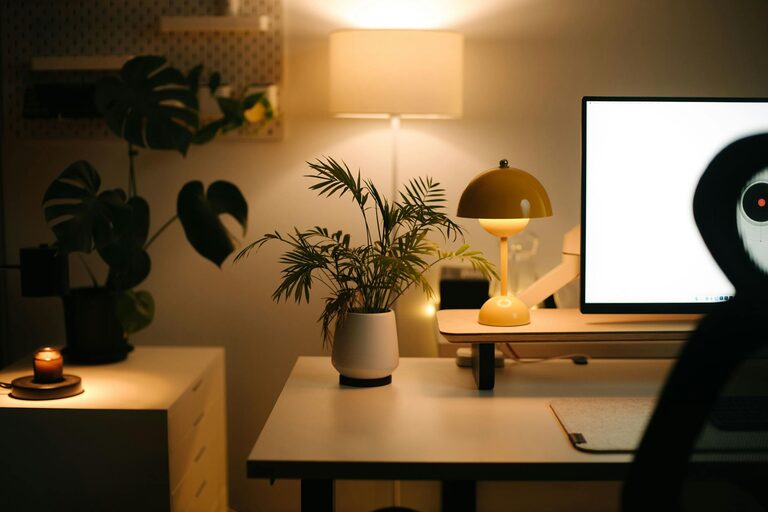
Creating a cozy and productive home office space is essential for anyone working remotely or managing tasks at home. A well-designed workspace can improve focus, reduce stress, and inspire creativity. Whether you have a dedicated room or a small corner, here are some helpful tips to transform your area into an inviting and efficient office.
Choose the Right Location
Find a Quiet Spot
Select a part of your home that is free from distractions and noise. Ideally, this space should be separate from high-traffic areas like the kitchen or living room. A quieter spot helps you concentrate and maintain a professional mindset during work hours.
Consider Natural Light
Natural light benefits both your mood and productivity. Try to set up your desk near a window to enjoy daylight. If natural light is limited, invest in good quality lighting to reduce eye strain.
Invest in Comfortable Furniture
Ergonomic Chair and Desk
A comfortable chair with proper back support is a must to prevent discomfort during long hours of work. Choose a desk at the right height to maintain good posture and allow ample space for your computer, supplies, and notes.
Adjustable Options
Consider adjustable desks or chairs to customize your workspace. Standing desks or chairs with adjustable heights can promote movement and reduce fatigue.
Organize Your Workspace
Declutter Regularly
Keep your desk tidy by removing unnecessary items. A clean space enhances focus and productivity. Use trays or containers to organize stationery, papers, and gadgets.
Use Storage Solutions
Shelves, drawers, and filing cabinets are practical for storing documents and supplies. Label containers and drawers for easy access and to keep clutter out of sight.
Personalize Your Space
Add Comfort Elements
Incorporate soft textiles like cushions, rugs, or throws to make your office feel welcoming. These items add warmth and help create a cozy atmosphere.
Include Plants or Decorations
Plants improve air quality and have a calming effect. Choose low-maintenance greenery like succulents or snake plants. Personal touches like photos, artwork, or inspirational quotes can motivate you and make your workspace uniquely yours.
Optimize Technology Setup
Use Quality Equipment
Reliable and efficient tech tools save time and reduce frustration. Invest in a good monitor, keyboard, and mouse. Ensure your internet connection is stable for seamless communication and online tasks.
Manage Cables Neatly
Use cable organizers or clips to keep wires untangled and out of your way. This small step contributes to a cleaner and safer workspace.
Create a Routine and Boundaries
Set Work Hours
Establish clear work hours to separate professional tasks from leisure time. Consistent routines help your brain switch into work mode and avoid burnout.
Define Boundaries with Family or Roommates
Communicate your schedule to those you live with to minimize interruptions. Use signs or signals if needed, so everyone respects your focus time.
Incorporate Break Areas
Take Regular Breaks
Step away from your desk periodically to stretch or relax. Short breaks increase productivity and reduce eye strain.
Designate a Relaxation Spot
If space allows, create a small area with a comfortable chair or cushion where you can read, meditate, or enjoy a quick pause.
Maintain Good Air Quality and Temperature
Ventilate Your Space
Fresh air helps you stay alert and feel comfortable. Open windows when possible or use an air purifier to improve air quality.
Control Temperature
Keep your workspace at a comfortable temperature. Use fans, heaters, or humidifiers as needed to create an environment conducive to work.
—
By applying these tips, your home office can become a space where comfort and productivity go hand in hand. Remember, the best workspace reflects your personality while supporting your professional needs. Start with small changes and adapt your setup as you discover what works best for you. A cozy and well-organized office makes working from home more enjoyable and effective.